YUV Sampling Formats
作者:罗上文,微信:Loken1,公众号:FFmpeg弦外之音
Because the human visual system has different sensitivities to color, we are much less sensitive to chroma than to luma. We can therefore use fewer samples for chroma and more samples for luma to save storage space.
The three common YUV sampling formats are:
- 4:4:4: Y, U, and V use the same amount of data; each pixel occupies 3 bytes.
- 4:2:2: if Y uses 8 units of data, U uses 4 and V uses 4; each pixel uses 2 bytes on average.
- 4:2:0: if Y uses 8 units of data, U uses 4 and V uses as little as 2; each pixel uses 1.5 bytes on average.
We can convert juren.jpg into the three YUV sampling formats with FFmpeg:
ffmpeg -i juren.jpg -s 1920*1080 -pix_fmt yuvj444p juren_yuv_444.yuv
ffmpeg -i juren.jpg -s 1920*1080 -pix_fmt yuvj422p juren_yuv_422.yuv
ffmpeg -i juren.jpg -s 1920*1080 -pix_fmt yuvj420p juren_yuv_420.yuv
The file sizes are shown below:
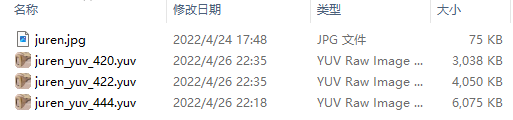
As shown above, YUV420 uses half as much data as YUV444. We can use 7yuv to compare image quality. 7yuv is a RAW image editor that can view and edit both RGB and YUV data.
Remember to set the dimensions and sampling format in 7yuv. YUV files contain only raw data and no dimensions, so a forgotten width or height makes correct display impossible.
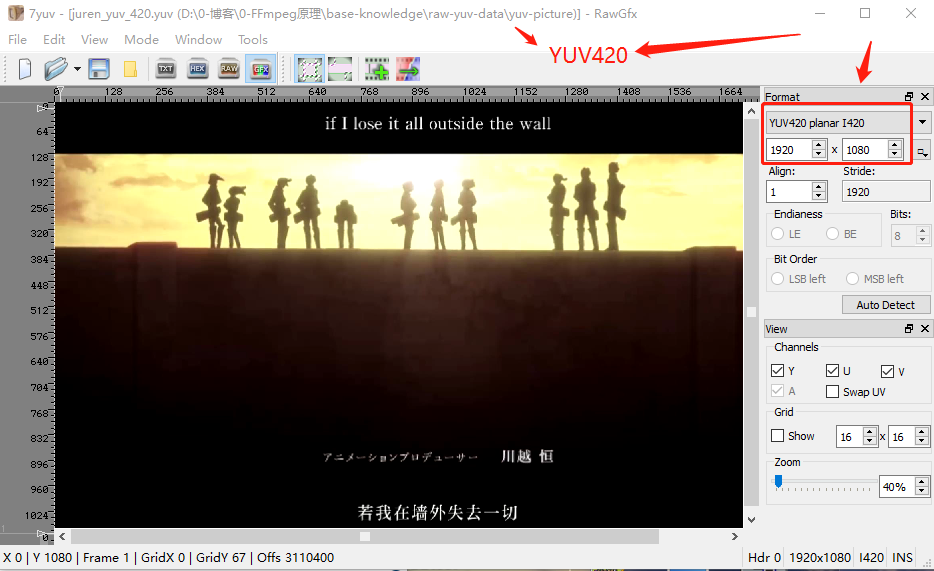
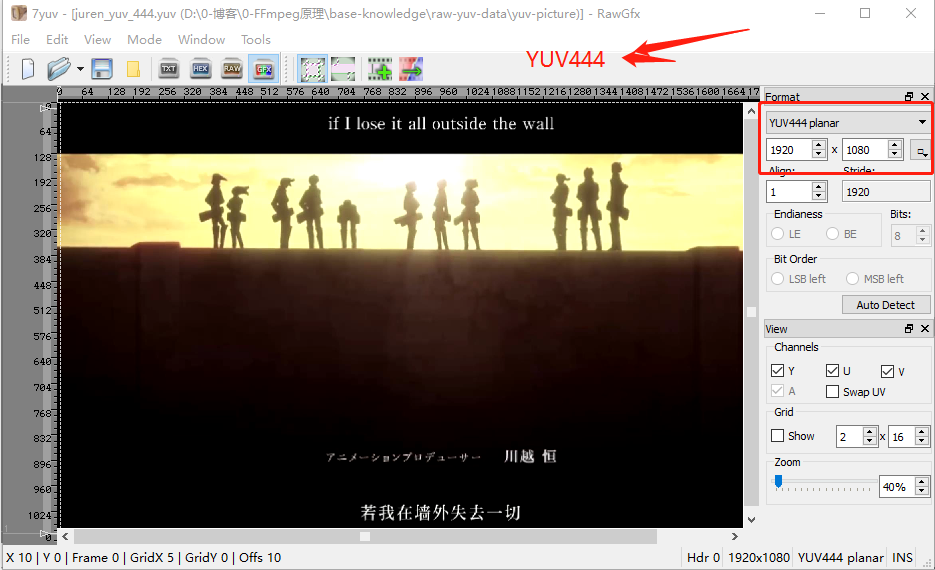
Can you see a difference between these two images? To me there is almost none. This technique is designed for the human visual system: the amount of information really is reduced by half, but our eyes cannot perceive that reduction.
Key point: YUV420 has half the data of YUV444 with almost no change in visual quality.
When using 7yuv, choose the correct format and dimensions or the image will not display correctly.
Because most video codecs use YUV420, the video resolution we normally quote is the luma resolution: luma covers the entire image, while U and V do not.
Let us use HxD to inspect the actual storage of juren_yuv_444.yuv:
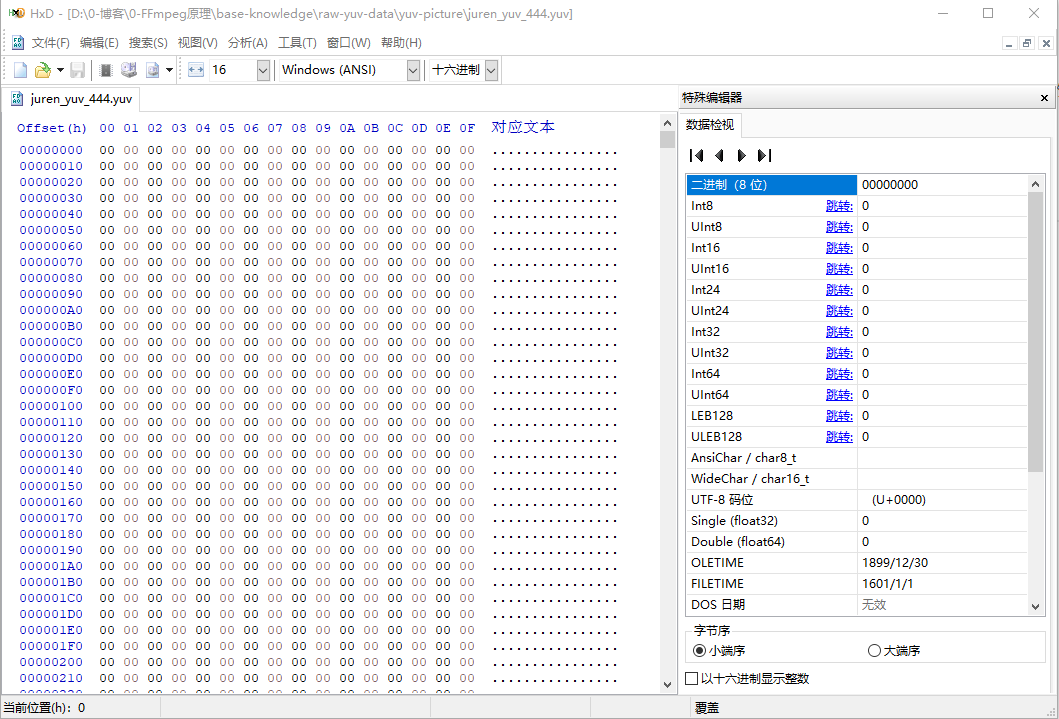
YUV is, in my view, the rawest of raw formats. Unlike a BMP file, which also contains raw RGB data but has a header with dimensions and other metadata, a YUV file has no header or dimensions.
When opening a YUV file in 7yuv, we must specify its dimensions and choose the 4:4:4 sampling format. If both the dimensions and format are forgotten, the image cannot be displayed correctly.
A YUV image file contains nothing but the original pixel data. Since 4:4:4 is like RGB24, with 3 bytes per pixel, and the image is 1920x1080, its size is:
Therefore juren_yuv_444.yuv is 6075 KB in total.
YUV formats fall into three broad categories:
1. Planar: all Y samples are stored contiguously, followed by all U samples, then all V samples.
Here “contiguously” means across the entire image, not merely within one row. In this example, the first 2025 KB of the 6075 KB file contains Y, bytes 2026-4050 KB contain U, and so on.
2. Semi-planar: Y is stored separately, while U and V are interleaved.
3. Packed: each pixel's Y, U, and V values are stored consecutively and interleaved.
The FFmpeg commands above use yuvj444p; the trailing p means planar. This article therefore focuses only on planar formats.
Pixels in a YUV image are stored from the upper-left corner to the lower-right. To turn the first three pixels in the upper-left corner white, change the first 3 bytes from 0 to 255. Y is luma, and its brightest value is white:
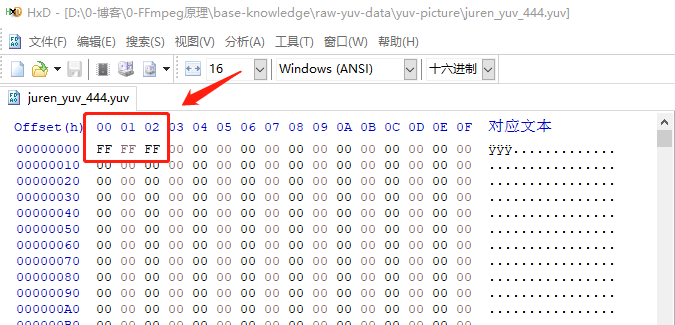
When enlarged in 7yuv, the three white pixels appear in the upper-left corner:
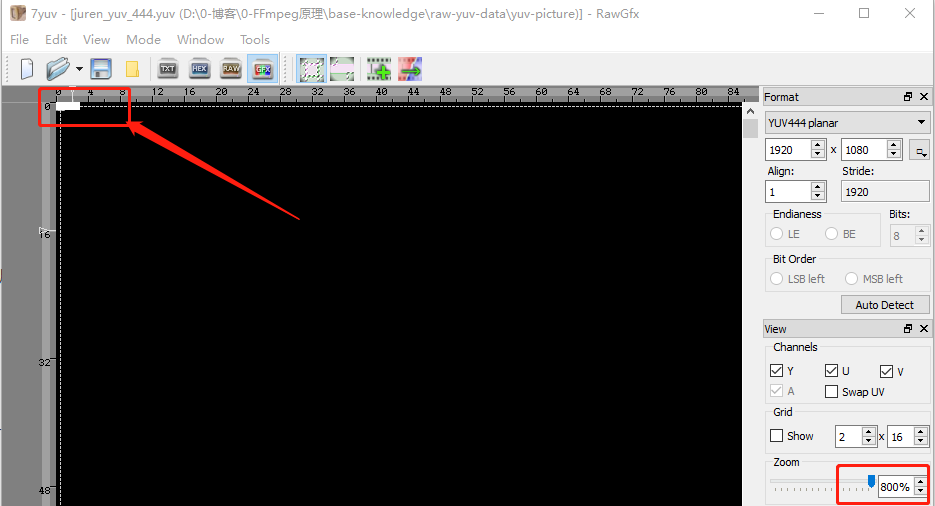
This completes the explanation of the YUV444p storage format.
Now consider YUV422p. Compared with 4:4:4, 4:2:2 stores one-third less data:
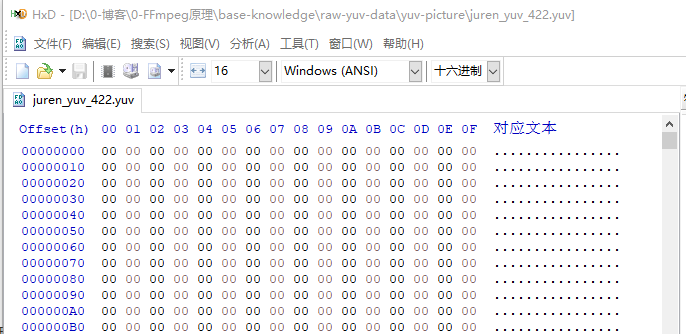
The HxD view still begins with many 00 00 values. Since this is planar, the first 2025 KB remains Y; only the amount of U and V data is halved.
YUV-to-RGB conversion still needs Y, U, and V. How can U and V be shared when there is half as much chroma data?
The first and second pixels share one U/V pair. In 4:2:2, this U value is a new value: the U values of the first and second pixels are added and divided by 2. The 4:2:2 chroma values are therefore averages.
Thus pixels 1-2 share one U/V pair, pixels 3-4 share the next pair, and so on:
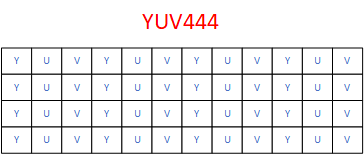
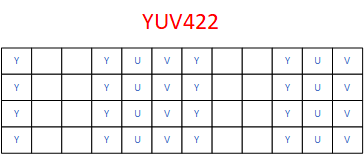
Blank cells in the diagrams do not occupy storage; they are shown only to make the idea easier to understand. The illustrated order is not planar either, for the same reason.
Count the non-blank cells in the two diagrams and you will see that YUV422 indeed has one-third fewer cells than YUV444.
Finally, consider YUV420, which uses the least data and is the most widely used format. Video conferencing, digital television, and DVDs all use YUV420:
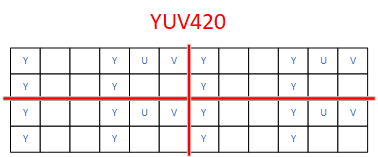
The first and second pixels of the first row share U/V with the first and second pixels of the second row, and so on. Why not share one U/V pair among the first four pixels of a single row? The spatial distance would be too large and could reduce quality. Sharing across adjacent rows keeps the distance short and produces smoother transitions.
These U/V values are new values: they are the average of the U values of the four original pixels.
There are several ways to calculate them:
- Average the four U values and divide by 4.
- Use weights, for example giving the first two pixels larger weights than the third and fourth.
- Discard the U values of pixels two through four and use the first pixel's U value. V is handled the same way.
I think averaging is the most reliable approach, and FFmpeg also contains this algorithm. Readers can investigate whether a particular implementation uses averaging or weighting.